
TalkBack is the screen reader built into every Android phone, the voice that reads the screen aloud for people who are blind or have low vision. It is free, preinstalled, and everywhere. It also has a reputation among its most demanding users: it feels slow. In September, an independent group of developers shipped their own answer. It is called Backtalk, an open-source fork of TalkBack built around a single obsession: speed.
Backtalk is not a Google product and has no affiliation with the company. It starts from Google's open-source TalkBack releases, layers fixes and features on top, and distributes builds from GitHub. The Centre For Accessibility Australia reported the release on October 8. The project's own goals are plain: make the screen reader faster and more responsive for people who use their phones quickly, restore useful behavior that older TalkBack versions had, and stay close enough to Google's releases that each new TalkBack update can be merged in rather than rebuilt from scratch.
Why milliseconds matter
For sighted users, a 70-millisecond delay is a rounding error. For someone swiping through a hundred items a minute with a screen reader, it is the difference between a conversation and a stutter. A screen reader narrates the interface one gesture at a time: swipe right to move forward, swipe left to go back, double-tap to activate. Each gesture waits on the software to confirm focus, compose the speech, and play it aloud. Shave tens of milliseconds off every step and the whole phone starts to feel like a different device.
Backtalk publishes its own measurements, and they are specific. On a Galaxy Z Fold7, the median time from lifting a finger after a swipe to hearing speech fell from about 68 milliseconds in TalkBack to about 39 milliseconds in Backtalk. Part of the trick is prediction: while you listen to an item, Backtalk works out what a swipe forward or backward would say. When your swipe lands where it predicted, speech starts in about 33 milliseconds instead of 60, and in the project's testing, roughly four out of five swipes used the prepared speech.
Audio gets a similar shortcut. Android's standard audio path adds 60 to 70 milliseconds before a sound reaches the speaker; Backtalk's low-latency path takes about 21 milliseconds on the same phone, and it ships switched on by default. The small delays compound everywhere: the wait before focusing the item under your finger drops from 300 to 200 milliseconds, the response to touching empty space from 100 to 40, and swipes that scroll a list from roughly 310 to about 60 milliseconds.
For sighted users, 70 milliseconds is a rounding error. For a screen reader user swiping through a hundred items a minute, it is the difference between a conversation and a stutter.
More than speed
Enjoying this story?
Get the five most important stories in tech, every morning. Free.
Speed is the headline, but the feature list reads like a wishlist collected from power users. There is a two-finger rotor and a circle menu for quick navigation, a Pause Backtalk command, and direct touch for audio games, which need touch input that most screen readers intercept. Sound themes render control sounds in 3D, with a vibration for every sound. A status gesture reads key phone state on demand. The braille keyboard's dots follow how you hold the device.
Under the hood there are quality-of-life changes too. Voice profiles bundle a speech engine, language, voice, rate, and pitch into setups you can switch at once: a slower voice for long articles, a fast one for everything else. Emoji are read from Unicode CLDR names in 138 languages instead of whatever your speech engine happens to say. And Android TV gets proper support, including a Backtalk settings entry on the TV home screen, somewhere Android TV otherwise offers no way to reach.
A fork, not a divorce
Backtalk vs TalkBack: Response Time
Measured latencies from the Backtalk project's own testing.
Note: Figures from the project's own testing (Galaxy Z Fold7 unless noted); independently unverified.
Backtalk's strategy is pragmatic rather than rebellious. It builds from Google's own source releases, tracks them closely, and merges each new one, so upstream improvements flow in instead of being rebuilt from scratch. New code is written in Kotlin, and Google's Java files are converted only when they already need large changes, specifically to keep the next merge easy. One contributor even maintains a separate variant, Backtalk Aaron, that installs alongside the main build so experimental changes can be tested without replacing it.
The timing matters, because the problem Backtalk addresses is getting bigger, not smaller. In an October 2026 post, Salesforce cited WebAIM's 2026 report on the web's most-visited pages: 95 percent of the top million home pages still have at least one WCAG failure, and automated testing tools catch only 30 to 40 percent of accessibility failures. The web is not getting more readable on its own; the readers have to get smarter and faster. WebAIM's 2026 screen reader survey, covered here this week, shows the same pressure on desktop, where AI-generated image descriptions are filling the gaps that pages leave behind.
What to know before installing
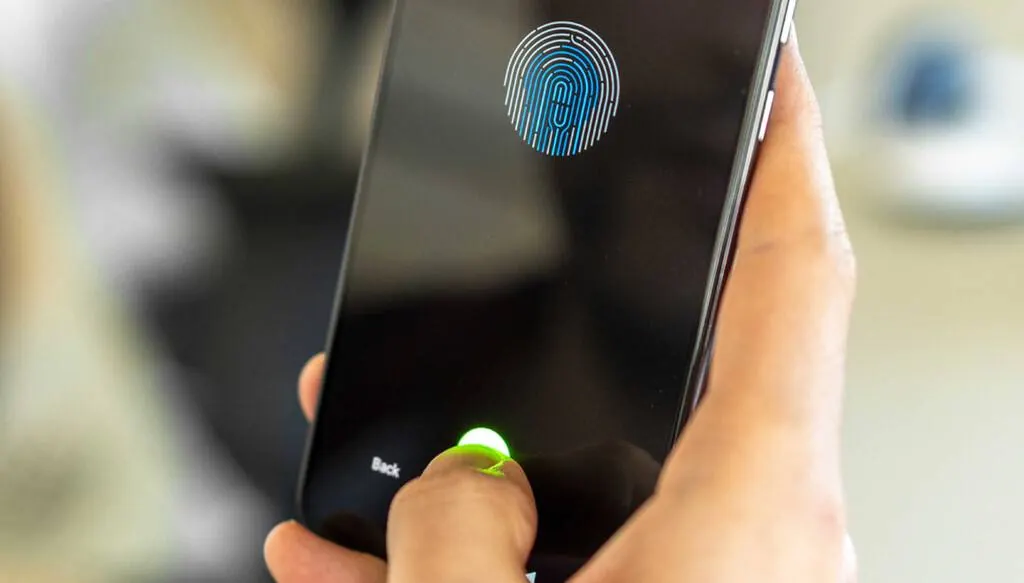
The honest caveats come from the project itself. Backtalk is not in the Google Play Store. It installs as its own app, under the ID fyi.quin.backtalk, next to TalkBack rather than replacing it, and it updates itself by checking GitHub for new development builds. Getting it onto a phone takes some technical comfort: downloading a release from GitHub and enabling it in accessibility settings. It needs Android 8.0 or later, and the developers describe it as early-stage, with performance and reliability not yet widely tested.
That friction is the real story. The phone in your pocket is arguably the most successful assistive technology ever shipped: a screen reader preinstalled on every device, no diagnosis or prescription required. Backtalk shows what happens when the community that depends on that technology takes the source code into its own hands and tunes it for how it actually gets used. If the experiment holds up, the message to every platform owner is simple: the best accessibility roadmap is the one your users already wrote.
0 Comments